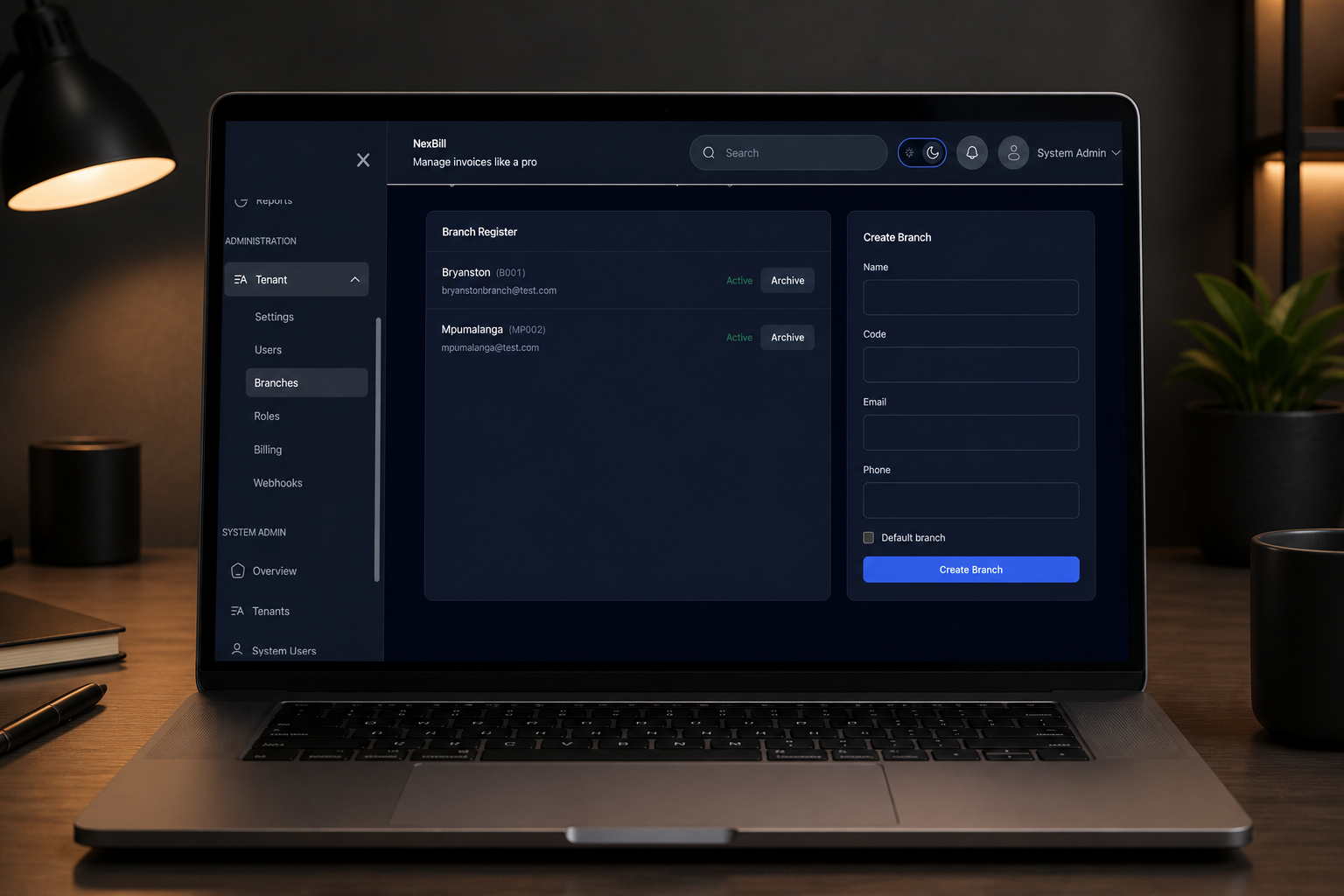
Keep branches organized
Give teams access to the customers, invoices, and records that belong to their branch.
Business includes 3 branches; Enterprise limits are custom.
NexBill
Create invoices, manage customers, and keep branch operations connected. Collect online payments with Business and Enterprise.
NexBill brings billing into one workspace. Create branded invoices and convert accepted quotes without retyping their details. Share invoices through WhatsApp and offer Paystack payment links on eligible plans. Manage recurring schedules, generate due invoices, and send reminders. Review sales, payments, and stock reports. The video uses illustrative demo data; features vary by plan.
Channel partner program
Approved NexBill partners can create customer workspaces, invite their owners and follow onboarding progress. Support each business through the access its owner chooses to grant.
An approved partner creates Brightside Studio and invites its owner. The owner sets up their account and chooses the partner’s access. The partner follows setup progress and opens the customer workspace with permission. A separate recap shows joining the program: the partner signs the agreement in app, then NexBill countersigns and approves. Customer records and signatures are fictional demonstration data.
Explore quotes, collections, repeat billing, and reporting in four short product films.
Keep the customer and line items together. Convert accepted quotes, create branded invoices, and share a professional PDF.
Illustrative demo data. Features vary by plan.
The video shows a branded invoice total, a quotes list with conversion controls, and invoice records. An accepted quote can become an invoice without re-entering the details. A complete invoice preview shows the business branding, line items, and payment information. Illustrative demo data; features vary by plan.
Give teams access to the customers, invoices, and records that belong to their branch.
Business includes 3 branches; Enterprise limits are custom.
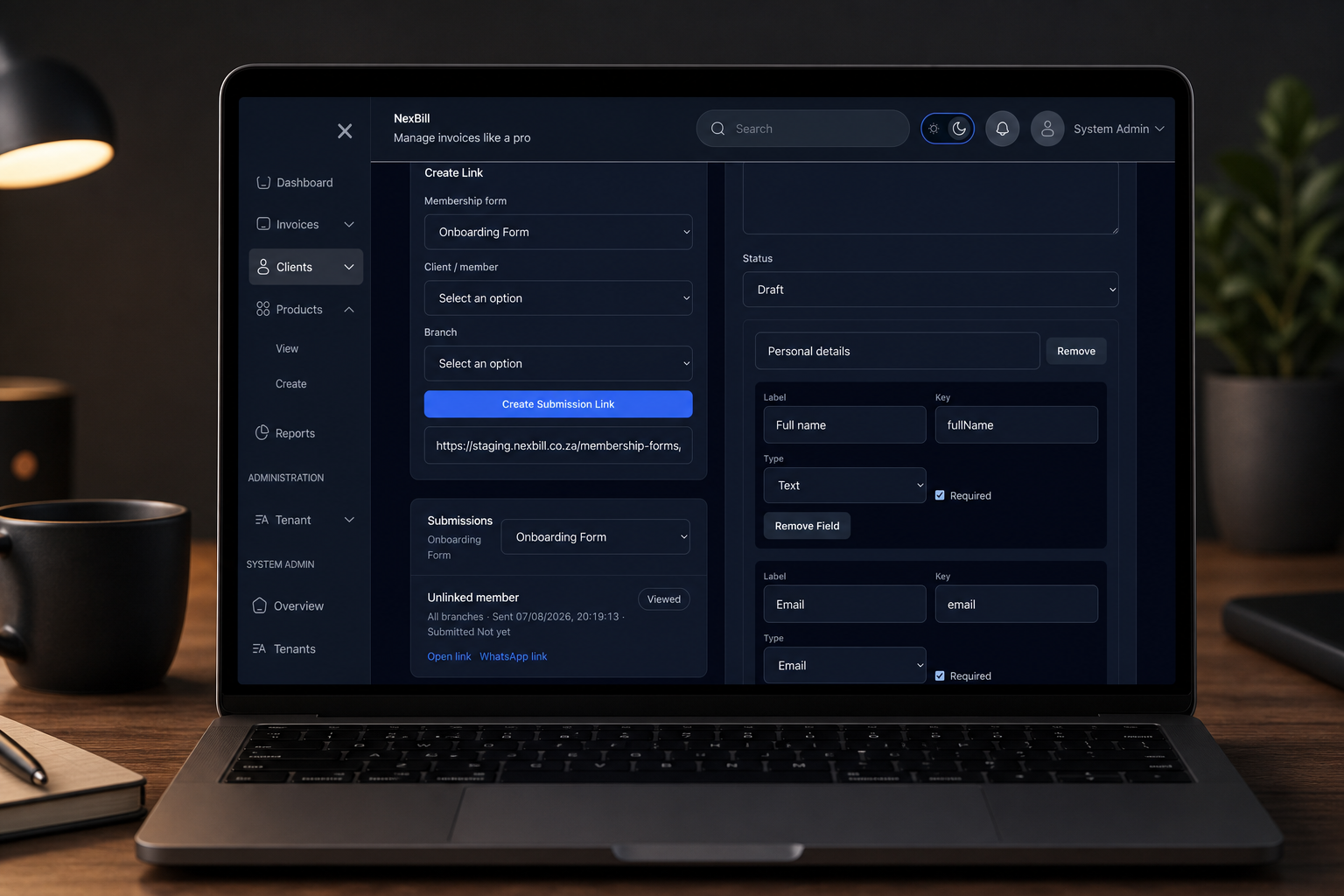
Share an intake form, collect details and signatures, then review submissions before creating member records.
Business includes 3 forms; Enterprise limits are custom.
Expense Management is an optional add-on for receipt capture, branch spending, and finance review. Scan allowances and workflow availability depend on your package.
Keep branch records and reporting connected.
Explore workflow →Capture a receipt, review the extracted details, and save.
Explore workflow →Route selected expenses to finance for review.
Explore workflow →Understand spending across branches and categories.
Explore workflow →Monthly plans in South African Rand. Online payments are included on Business and Enterprise.
For trying invoicing with a small team.
R0
per month
For regular invoicing with your own branding.
R199
per month
For online payments and branch operations.
R399
per month
For custom volumes, workflows, and integrations.
Custom quote
Scoped to your requirements
Explore settings, templates, and the tools behind everyday operations.
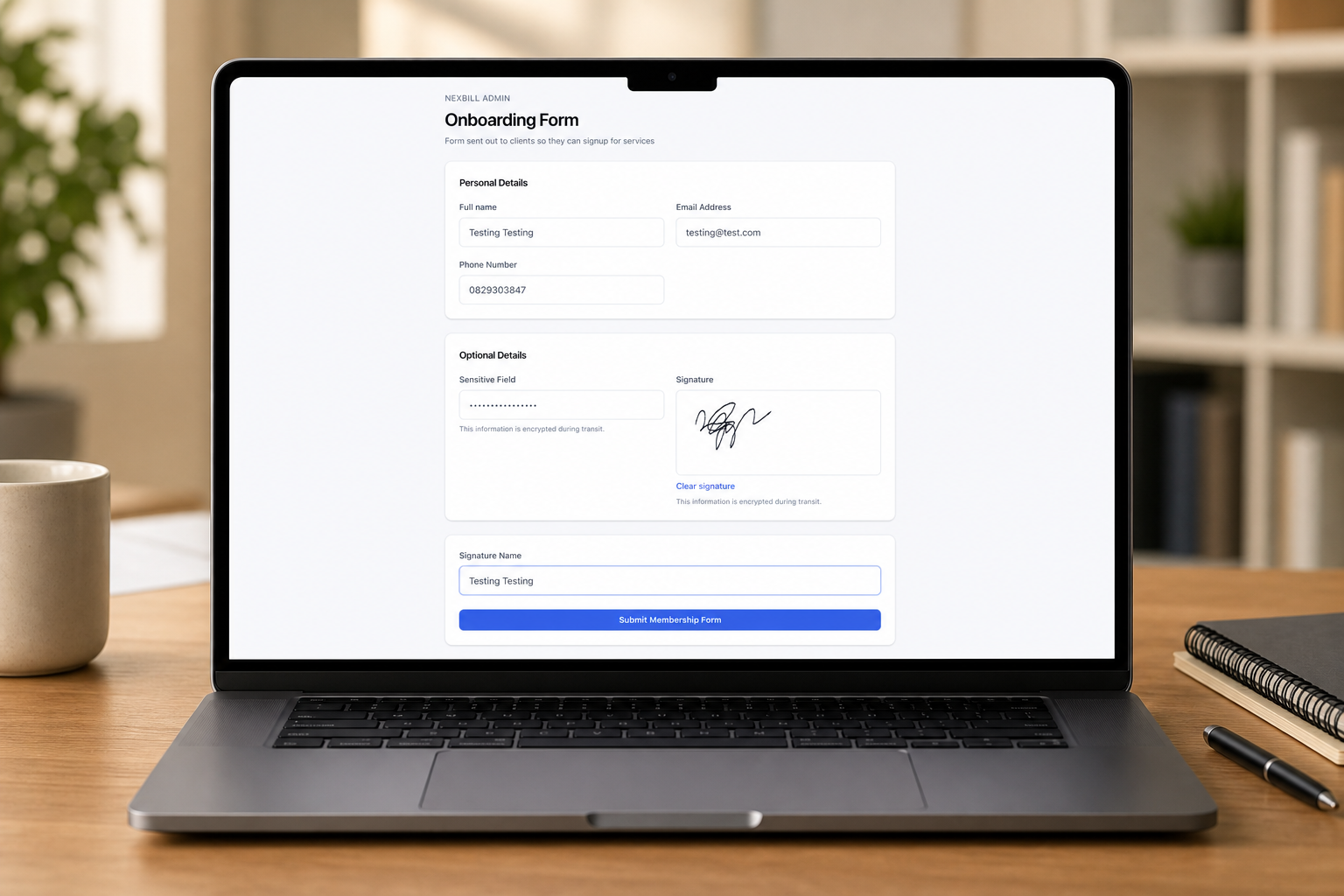
Collect member details and signatures through secure public form links.
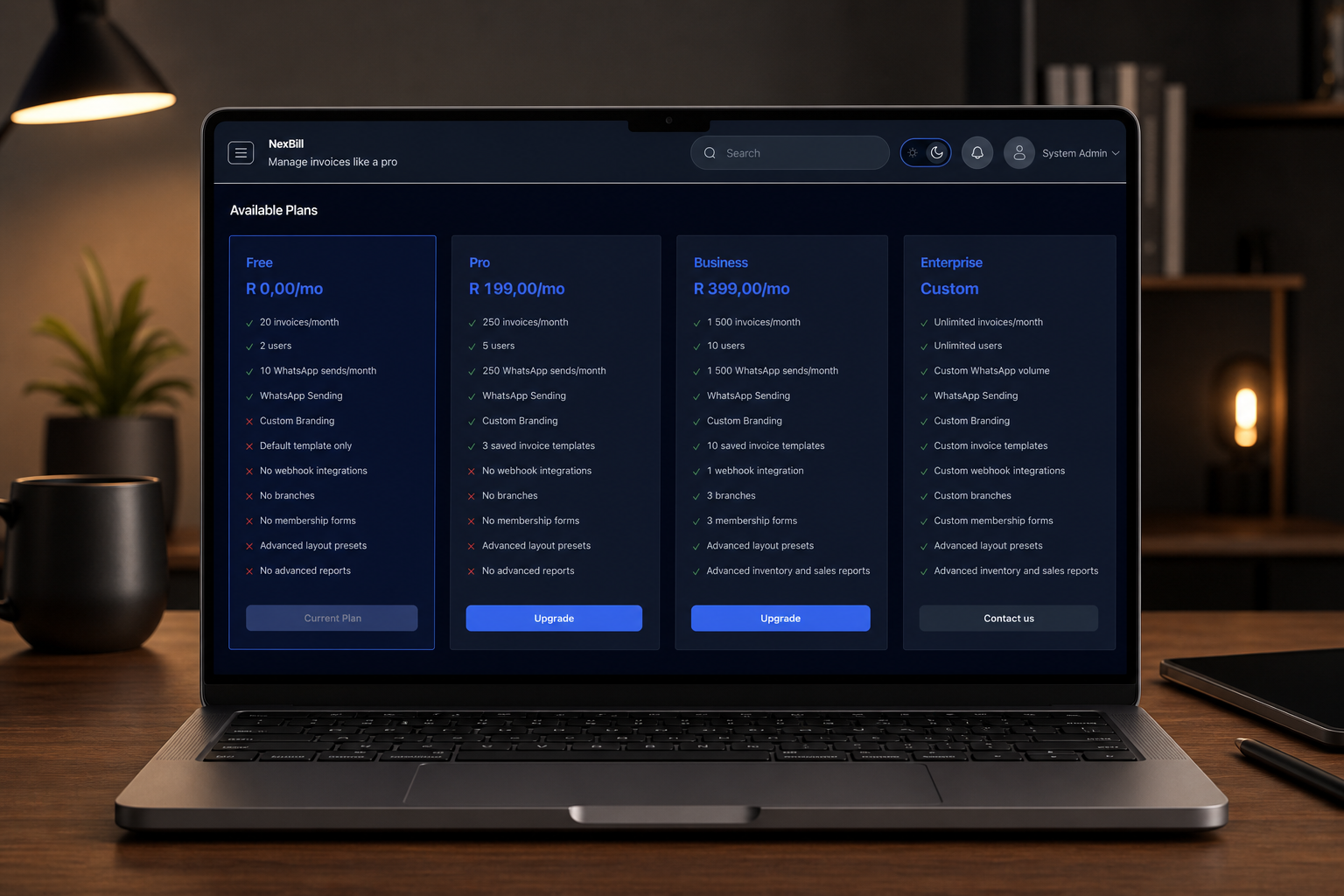
Review plan usage for invoices, users, WhatsApp sends, templates, branches, forms, and webhooks.
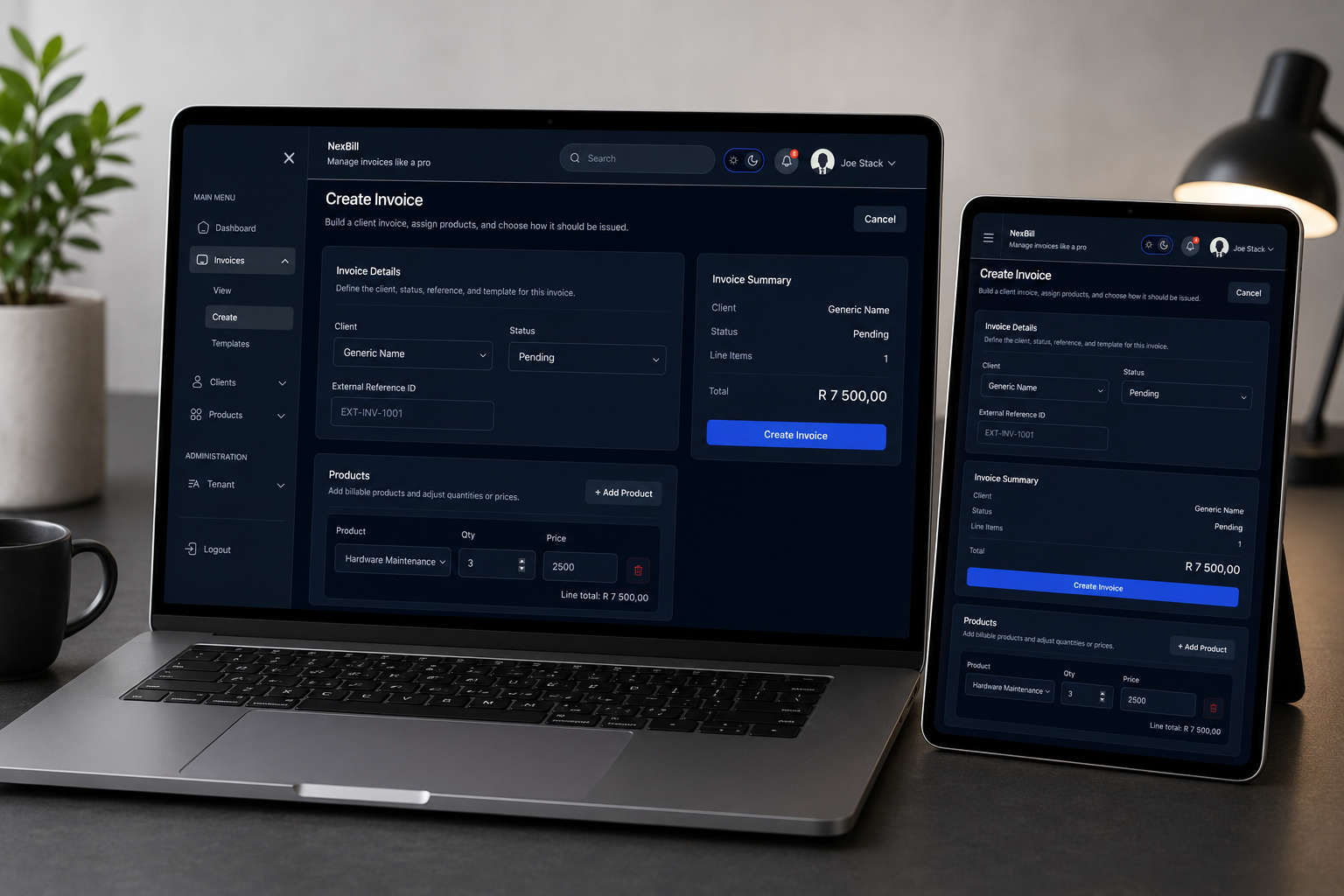
Create invoices with client details, line items, taxes, discounts, and payment terms.
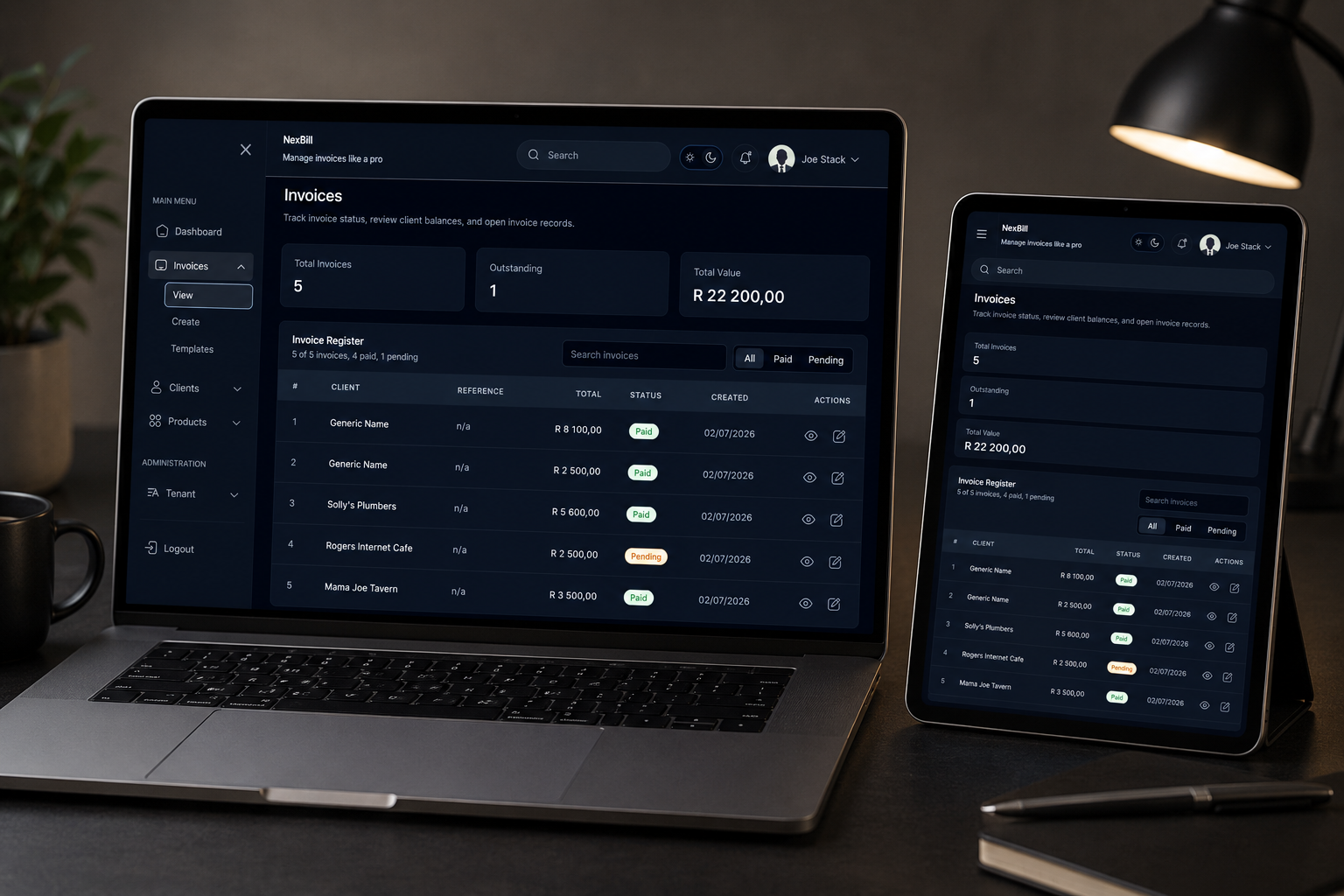
Track invoice status, totals, dates, and customer billing records from one view.
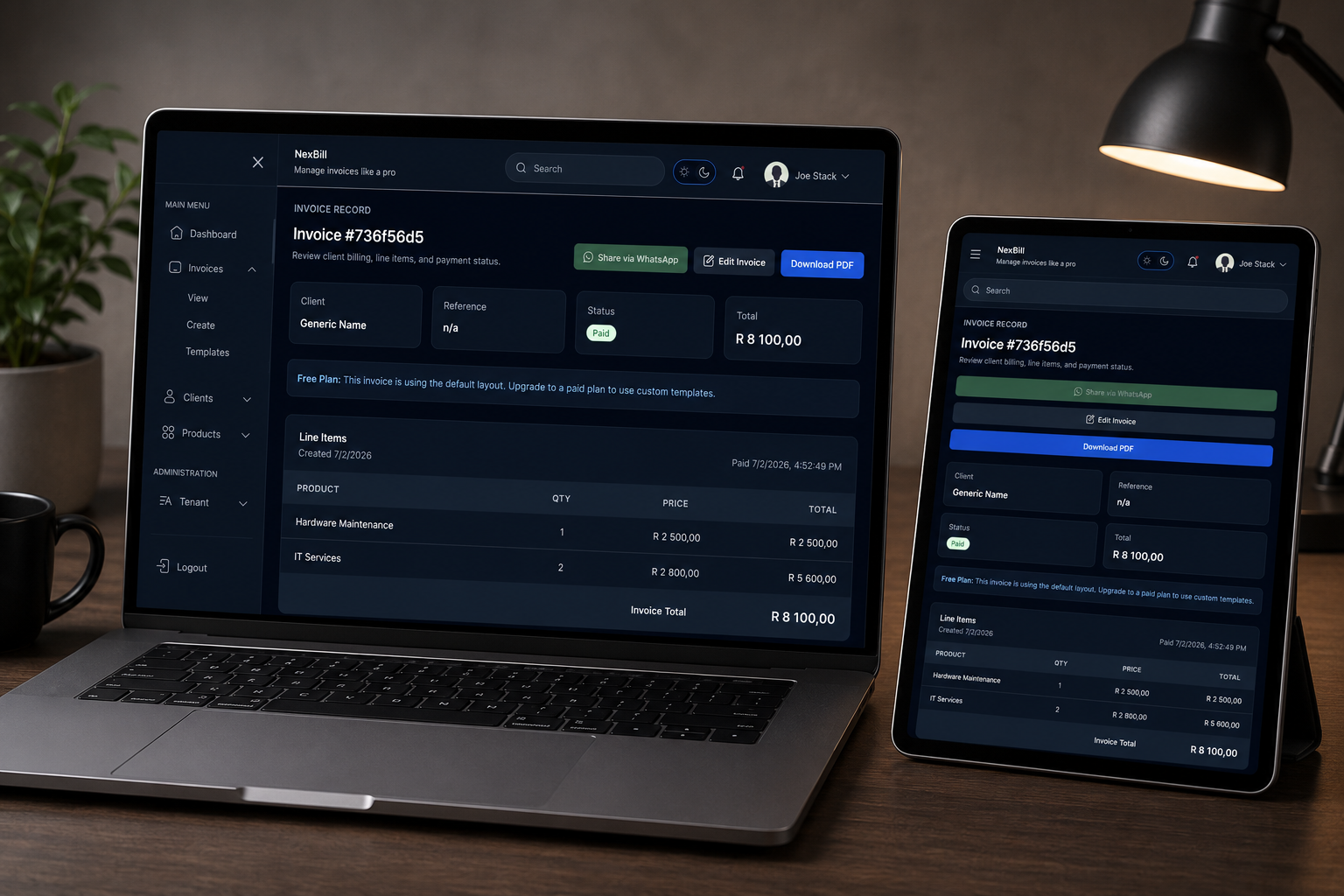
Review the customer-facing invoice before sending or exporting billing documents.
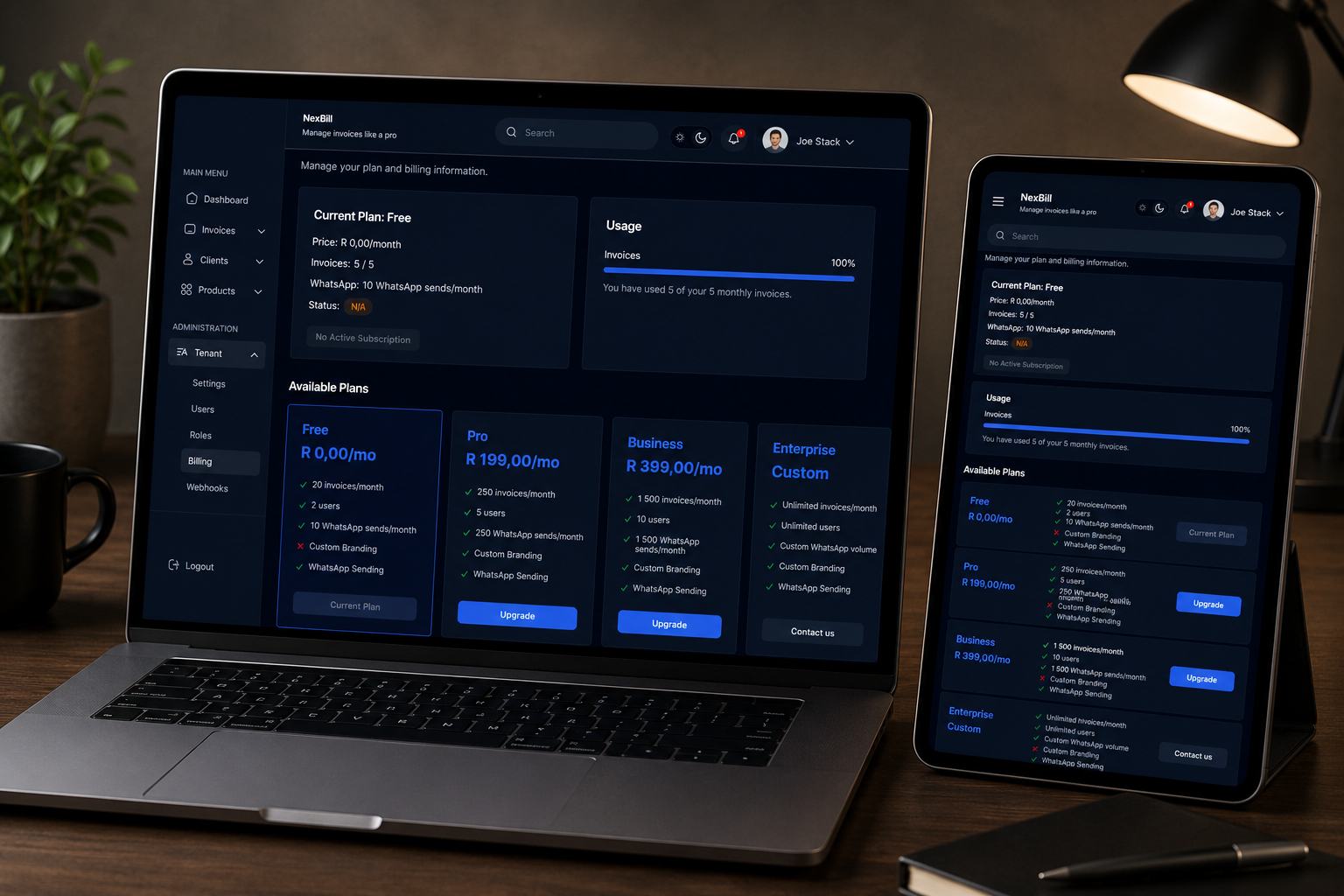
Manage subscription billing, plan status, and tenant payment operations.
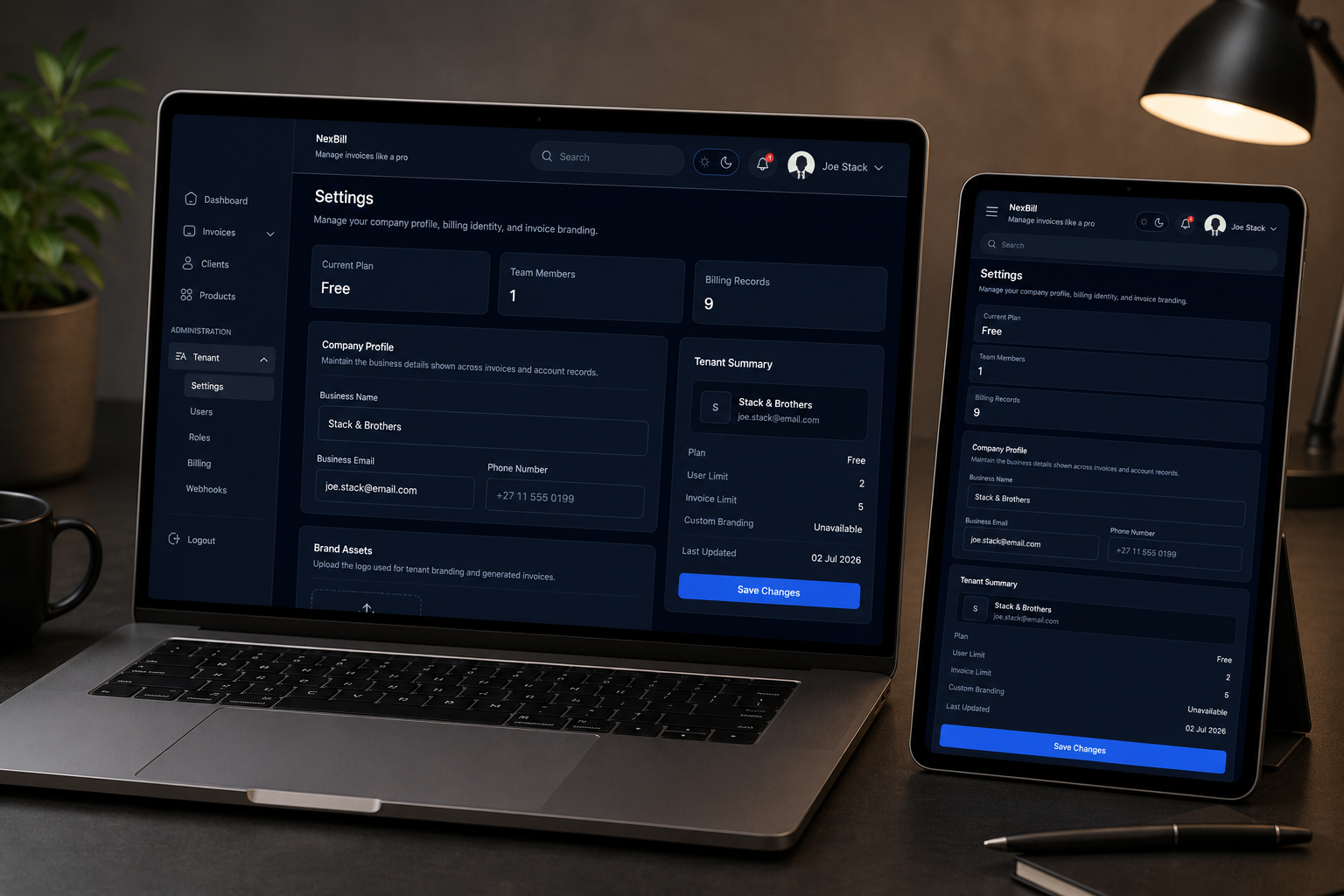
Configure tenant profile details, branding, preferences, and workspace settings.
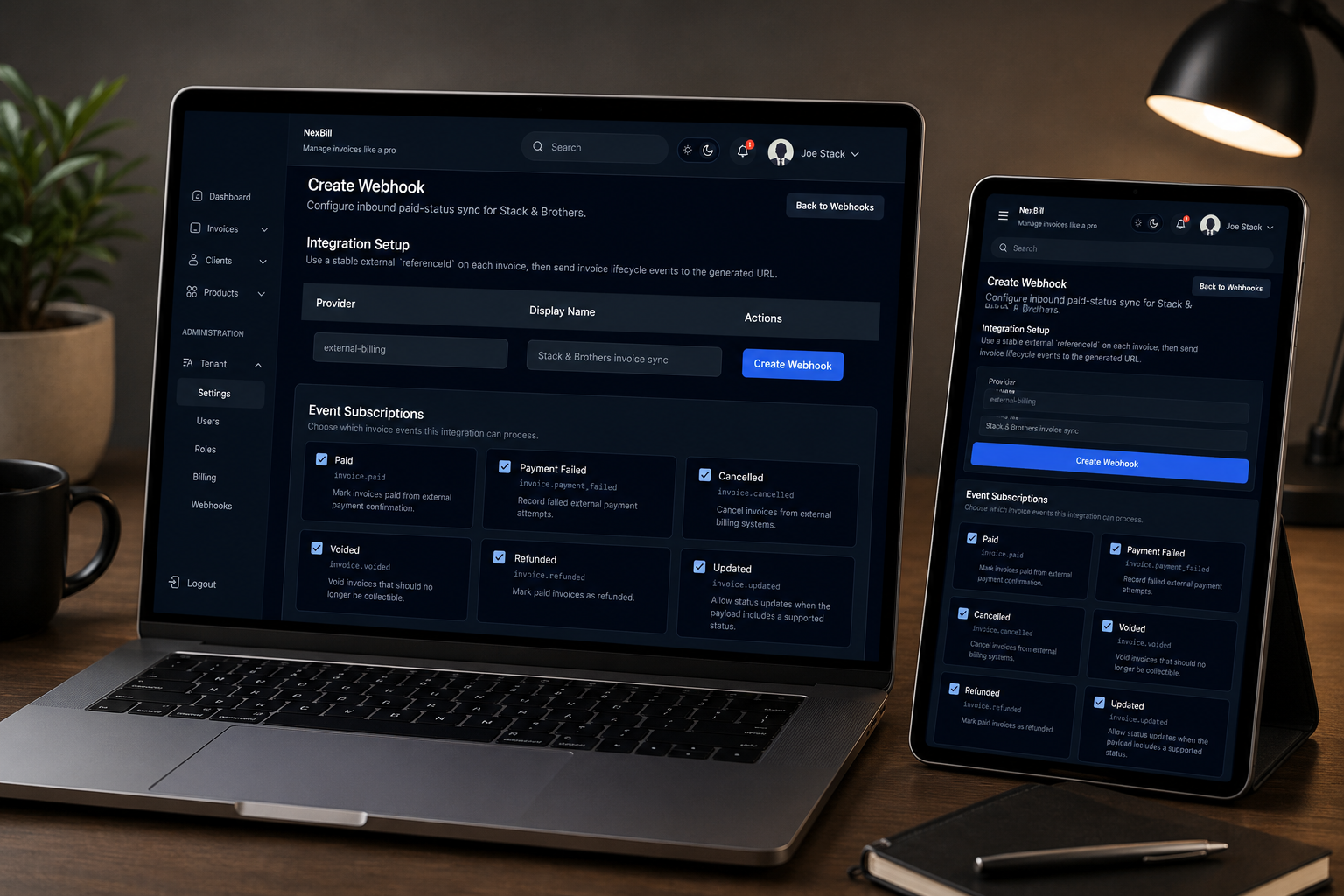
Set up webhook endpoints and integration settings for external workflows.
NexBill uses Paystack for supported online payment processing. Available payment methods depend on the production Paystack configuration enabled for the tenant.
An invoice is updated automatically after NexBill receives confirmation that the online payment was successful.
The invoice remains unpaid, and the customer can try again from the payable invoice link.
No. NexBill does not store customer card details. Payment details are handled by the payment provider during secure checkout.
Online payments are included on Business and Enterprise plans. Free and Pro workspaces can still create and share invoices without online payment collection.
Payment provider transaction fees may apply. Any NexBill platform fees for online payments will be shown clearly before they are introduced.
Yes. Eligible plans can create reusable order form links, offer Pay Now on order forms, create Paystack virtual terminals, and reconcile in-person terminal payments to invoices.
Yes. Eligible plans can configure Paystack payout details, track settlement status, and view payment source information for invoice links, order forms, and virtual terminals.
Yes. NexBill supports configurable membership forms with public links, sensitive fields, and signature capture.
Yes. Reviewed and approved submissions can create member records automatically, including records from branch-specific forms.
Yes. Branch-aware access can scope users, clients or members, products, invoices, templates, and forms to selected branches.
Yes. Teams can share membership form links through WhatsApp so applicants can complete forms from a public link.
Yes. Tenant terminology can support client-focused or member-focused businesses, so workspaces can use the language that fits their operations.
Sensitive membership fields and signatures are submitted over encrypted HTTPS connections. Submitted forms can be reviewed and stored as signed PDF snapshots.
Access your workspace on mobile. Download the app for your device.